Scrabble is probably one of the best word games ever. It’s barely got any serious competition—as far as word games go, Scrabble is the game that everyone else tries to mimic, and it probably didn’t surprise anyone when it was ported to the iPhone. Thanks to a recent update by Electronic Arts, true multiplayer Scrabble is available on the iPhone & iPod Touch.Scrabble is still one of the most ingenious word games ever created.
It takes a little while to actually get to the game. When you first start up the app and pass through an animated loading screen, you’re presented with a menu. Actually, you’re presented with multiple menus. In order to start a game, first you have to hit “Play,” on the main menu, then choose a local, WiFi, or Facebook game, and then you can set up the actual table. EA Games seems to have a fondness for slow animations. Weird decisions regarding the menus are present throughout the game—selecting things take too long, “back” buttons exit pop-ups (instead of “x”’s in the right-hand corner), and the interface as a whole could use some work.
But once you finally begin, rest assured: this is Scrabble, and EA made sure to deliver the true game. Tiles are moved with your finger, and you can zoom in and scroll around the board as you’d expect. The rules are simple and are exactly the same in the iPhone incarnation as in the original board game. 2 players face off on a 15 x 15 grid, armed with a randomized allocation of 7 letters with which to form words on the board. The game automatically checks your words against its database, so there’s no need for challenges. There’s the typical deliberation, the intense concentration, and the same word-bending skills required to succeed, and there’s the same corresponding sense of victory when you place a well-played word. You can play Scrabble alone, versus a computer opponent and now against a friend over WiFi, or even online through Facebook.
There are several Scrabble game types available including classic, a game to 75, a game to 150 or an 8-round game (8 turns before the game is over) or a 12-round game - and 3 difficulty levels for each.
Scrabble has decent music, but also includes the feature to listen to your own iTunes library as you play. All your games are also easily saved so you can come back to them at a later time. For a port of a board game, Scrabble really is hard to fault. Clear, colorful visuals and high production values top off a great mobile gaming experience. The only thing missing is the table-side banter. But despite this complaint, Scrabble is a great game. Even with EA Game’s slightly awkward handling, it’s still just as fun to play as ever, and there’s no denying that the shiny graphics are nice to look at. Whether you fancy playing against yourself, the AI, a friend, or a total stranger, Scrabble will satisfy your word craving, and really, what more do you want?
Scrabble requires the 2.0 iPhone software update and is compatible with both the iPhone & iPod Touch.
Monday, July 6, 2009

Friday, July 3, 2009
Download Free iPhone Games Movies Tips
Do you want to download free Iphone games and movies? I think every Iphone user I have ever met has been head over heels in love with their Iphone, but none of them get any real value from it. If you want to get real value from your Iphone, read on!
If you've gotten over the post Christmas boredom by downloading stuff from Itunes, you probably know how expensive it can work out to be. The costs of a single download isn't much, but whoever stops there? Instead of throwing away your precious income like that, check out these tips to make sure you aren't taken to the cleaners.
Tip 1
Torrent Sites- these sites can be useful, but only if you are smart about it. Firstly though, a word of warning downloading something you don't already own from these sites is against the law you can use them to download MP3s of your current CD collection no problem, but to download anything else is unlawful. Before you do anything like that check out the laws in your area. That's not all, sites like this can be a real breeding ground for hackers/spammers, so make sure your computer is super super secure before using them.
Tip 2
Use the membership sites would you like to pay $50 and get unlimited access to every musical album you've ever wanted, or every computer game or DVD? Well here's your answer. The memberships are usually lifetime, and the downloads are very high speed and in very good condition. These sites are probably your best bet for building up a large catalog of downloads in the shortest time.
Tip 3
Avoid the scam sites. If you've spent any more than about 10 seconds on the net searching for free Iphone downloads you can't fail to have noticed the amount of websites competing for your attention. Unfortunately not all of these guys are as honest as you would hope. It's quite common to come across a site that promises the earth, only to find that there is nothing at all worthwhile there. The reason for this is that those types of sites get paid for people to click on their advertising, so it's in their interest to get as many people to visit their site as possible, regardless of whether they can actually provide any of the free downloads they claim. Not very cool, but it happens.
Hopefully these 3 tips have helped you open your eyes to the pitfalls of downloading free stuff for your Iphone.
Article Source: ArticlesNatch.Com
If you've gotten over the post Christmas boredom by downloading stuff from Itunes, you probably know how expensive it can work out to be. The costs of a single download isn't much, but whoever stops there? Instead of throwing away your precious income like that, check out these tips to make sure you aren't taken to the cleaners.
Tip 1
Torrent Sites- these sites can be useful, but only if you are smart about it. Firstly though, a word of warning downloading something you don't already own from these sites is against the law you can use them to download MP3s of your current CD collection no problem, but to download anything else is unlawful. Before you do anything like that check out the laws in your area. That's not all, sites like this can be a real breeding ground for hackers/spammers, so make sure your computer is super super secure before using them.
Tip 2
Use the membership sites would you like to pay $50 and get unlimited access to every musical album you've ever wanted, or every computer game or DVD? Well here's your answer. The memberships are usually lifetime, and the downloads are very high speed and in very good condition. These sites are probably your best bet for building up a large catalog of downloads in the shortest time.
Tip 3
Avoid the scam sites. If you've spent any more than about 10 seconds on the net searching for free Iphone downloads you can't fail to have noticed the amount of websites competing for your attention. Unfortunately not all of these guys are as honest as you would hope. It's quite common to come across a site that promises the earth, only to find that there is nothing at all worthwhile there. The reason for this is that those types of sites get paid for people to click on their advertising, so it's in their interest to get as many people to visit their site as possible, regardless of whether they can actually provide any of the free downloads they claim. Not very cool, but it happens.
Hopefully these 3 tips have helped you open your eyes to the pitfalls of downloading free stuff for your Iphone.
Article Source: ArticlesNatch.Com
iPhone Enterprise Application Development - Costs and Thoughts
Apple Company has Developed iPhone Application. Also an Apple is on top to sell iPhone Application and the ten million mobile Internet devices has been sold. iPhone is the smartest phone and best and advance technology Phones. Best features included in this phone. iPhone is rapidly mobilizing thousands of internet users and its quite obvious that iPhone Applications Development is highly execution of business and consumer based applications.
iPhone and iPod touch are Stylish and attractive handsets that is the combination of the r Multi-Touch interface with powerful features, like as email and instant-messaging capability, a totally web browser featured included in iPod, and, in iPhone. iPhone mobile phone included OS Software which is the platform to run iPhone and ipod touch. Also added software of the iPhone SDK also the access iPhone and ipod touch. Developers can use the iPhone SDK to create applications and through this people can store and use on their devices.
If you want to develop iPhone applications then you must use like as Xcode, Apple’s (IDE). Xcode is most important for development iphone application because its Provides entire tools which you need to design your application. So it is very useful for the application developer and who want to create an iphone Application, For that you have to first run in your PC and then after you can develop an iPhone application.
Os Software also provides you fundamental infrastructure and default behavior that can makes it easy and possible to develop fast a functional application in a few times. Also the UIKit framework to help you to develop an iphone application Also you can customize and extend that behavior with help of hooks. With help of SDK software development kit, two types of application we can create with easily 1 is web Application and 2nd is native applications. Developers can use both tools and general frameworks for mobile development iphone.
Now a Day an iPhone application development is growing and getting more popularity among the users, because they are very satisfied to use huge technology device. Also day by day more function includes in Phone applications add more features you will get your device.
Article Source: ArticlesNatch.Com
iPhone and iPod touch are Stylish and attractive handsets that is the combination of the r Multi-Touch interface with powerful features, like as email and instant-messaging capability, a totally web browser featured included in iPod, and, in iPhone. iPhone mobile phone included OS Software which is the platform to run iPhone and ipod touch. Also added software of the iPhone SDK also the access iPhone and ipod touch. Developers can use the iPhone SDK to create applications and through this people can store and use on their devices.
If you want to develop iPhone applications then you must use like as Xcode, Apple’s (IDE). Xcode is most important for development iphone application because its Provides entire tools which you need to design your application. So it is very useful for the application developer and who want to create an iphone Application, For that you have to first run in your PC and then after you can develop an iPhone application.
Os Software also provides you fundamental infrastructure and default behavior that can makes it easy and possible to develop fast a functional application in a few times. Also the UIKit framework to help you to develop an iphone application Also you can customize and extend that behavior with help of hooks. With help of SDK software development kit, two types of application we can create with easily 1 is web Application and 2nd is native applications. Developers can use both tools and general frameworks for mobile development iphone.
Now a Day an iPhone application development is growing and getting more popularity among the users, because they are very satisfied to use huge technology device. Also day by day more function includes in Phone applications add more features you will get your device.
Article Source: ArticlesNatch.Com
Wednesday, July 1, 2009
iPhone 3GS/Mac Games Development - An Extra Mile for the Gaming Industry
Gaming industry was already popular among the fun loving masses of the world but introduction of iPhone has put up an extra gear to speed up game development for smart phones in the industry. There are millions who take pleasure in playing games on mobile phones but with the introduction of iPhone, mobile gaming has augmented rapidly in diminutive time.
In one year iPhone has developed its market at great extent; iPhone has created large masses and users of all age group. iPhone provides 3G/Mac games for its fun loving users as well as allows to use additional game applications for customized games. For iPhone games development, iPhone developers use Mac OS X operating system, as it is developed and marketed by Apple mobile company. iPhone has boosted the mobile gaming and playing significant role for the popularity of games on the mobile and other communicative devices.
Development of mobile games is the process of various technical and non technical activities which brings quality to any mobile game. Use of technology to games development should bring high performance of graphics, game sounds should be matching and overall visualization of the game should be catchy. Big factor in mobile games development is cost, arranging all the things together sometimes increase the cost of game which needs to be in high consideration by the mobile game developers. Technologies used by the mobile developers are in large variety and they are based on the nature and intensity of the games such as for the development of 2d mobile games iPhone developers use Cocos2d-iphone framework, it's a cost-effective framework as it is open source product and reduces timeline in the game development. Oolong Game Engine is productive for the development of new games and able to port existing games to iPhone & iPod and this game engine is written in C++ & Objective-C. Commonly mobile game developers use many programming languages, frameworks and technological systems such as MAC platform, Cocoa ? Objective C, AppleScript and many more.
Millions of users are using iPhone for the games instead of using their pc for the fun, as mobile gaming is easy and portable service for the users anywhere they want. For the custom iPhone game development users can hire iPhone developers very easily from any MAC game development company. iPhone 3G game development has become very common with the increasing passion of the game lovers in industry and has provided an extra mile to gaming industry.
Article Source: iPhoneTopic.Com
To inquire about iPhone applications, mobile application development services please visit www.iphonesoftwareprogramming.com or Call 888-284-0858
In one year iPhone has developed its market at great extent; iPhone has created large masses and users of all age group. iPhone provides 3G/Mac games for its fun loving users as well as allows to use additional game applications for customized games. For iPhone games development, iPhone developers use Mac OS X operating system, as it is developed and marketed by Apple mobile company. iPhone has boosted the mobile gaming and playing significant role for the popularity of games on the mobile and other communicative devices.
Development of mobile games is the process of various technical and non technical activities which brings quality to any mobile game. Use of technology to games development should bring high performance of graphics, game sounds should be matching and overall visualization of the game should be catchy. Big factor in mobile games development is cost, arranging all the things together sometimes increase the cost of game which needs to be in high consideration by the mobile game developers. Technologies used by the mobile developers are in large variety and they are based on the nature and intensity of the games such as for the development of 2d mobile games iPhone developers use Cocos2d-iphone framework, it's a cost-effective framework as it is open source product and reduces timeline in the game development. Oolong Game Engine is productive for the development of new games and able to port existing games to iPhone & iPod and this game engine is written in C++ & Objective-C. Commonly mobile game developers use many programming languages, frameworks and technological systems such as MAC platform, Cocoa ? Objective C, AppleScript and many more.
Millions of users are using iPhone for the games instead of using their pc for the fun, as mobile gaming is easy and portable service for the users anywhere they want. For the custom iPhone game development users can hire iPhone developers very easily from any MAC game development company. iPhone 3G game development has become very common with the increasing passion of the game lovers in industry and has provided an extra mile to gaming industry.
Article Source: iPhoneTopic.Com
To inquire about iPhone applications, mobile application development services please visit www.iphonesoftwareprogramming.com or Call 888-284-0858
Tuesday, June 30, 2009
iPhone 3GS - The Fastest IPhone Announced
Apple launched the new iPhone 3GS on 8 June 2009 as a follow up to its popular iPhone 3G. With this Apple remains at the leading edge of smartphone innovation with the iPhone 3GS. Apple’s iPhone has transformed how the world thinks of cellphones. Phone companies and hardware-makers follows the iPhone’s touchscreen interface, easy access to the Internet, and bustling App Store. According to the Apple Hot News, “iPhone 3GS is the finest iPhone Apple has made”.
The S is for “speed”
The iPhone 3G S is a major step forward in terms of the iPhone’s technological underpinnings. Its processor runs at 600 MHz, compared to previous models’ 412MHz. It’s got 256MB of RAM, compared to 128MB in previous models. The lack of external changes belie what’s going on underneath the iPhone 3G S’s glass and plastic exterior. The iPhone’s last upgrade added a faster cellular radio and a GPS chip, but otherwise, the iPhone 3G’s internals were largely unchanged from the original iPhone.
 From inside, the iPhone 3GS has been fully redesigned, with new core components (CPU, memory, integrated compass, video recorder) in different locations, no less. And together with the iPhone OS 3.0 upgrade (which makes many compelling features available to existing iPhone customers), the iPhone 3GS stands tall. After pounding on it, you will find that at the full-subsidy prices, the 3GS is a surprisingly worthy upgrade for heavy users of the phone’s Web and gaming capabilities, and for general-use apps–even if you’re only jumping from the iPhone 3G. Not only do apps open faster, they respond faster, too.
Apple claims the battery’s talk time over 3G should be about the same as with iPhone 3G (5 hours), and more than twice that (12 hours) over EDGE. For data, the company rates the battery at up to 9 hours time over Wi-Fi, and 5 hours over 3G. One pleasant battery-related addition is a new Battery Status indicator, which you enable In General/Usage. It often left one wondering aloud why earlier iterations of iPhone couldn’t do this seemingly basic task?
The iPhone 3G S boots faster than any other iPhone OS-based device, and launched every app in record time. Its Safari browser had the dramatically fastest JavaScript engine as measured by the SunSpider benchmark, and loaded Web pages dramatically faster as well. Every aspect of using the phone felt noticeably faster on the iPhone 3G S than on the iPhone 3G. Even actions that only took moments before now happen instantaneously.
The speed doesn’t stop with app launches and fast-loading Web pages, either. The iPhone 3G S supports the new OpenGL ES 2.0 standard, meaning that a slew of iPhone game apps will be able to capitalize on advanced graphics features to create higher-quality graphics than have been seen on the iPhone up to now. But more important, the iPhone 3G S is just better when it comes to graphics.
The 3GS so far has generated very strong sales figures, as Apple says that it has sold more than one million 3GS models since its release on Friday. iphone is a significant improvement over the original iPhone 3G in terms of processing power, storage, memory and battery life.
To inquire about iPhone applications, mobile application development services please visit www.iphonesoftwareprogramming.com or Call 888-284-0858
The S is for “speed”
The iPhone 3G S is a major step forward in terms of the iPhone’s technological underpinnings. Its processor runs at 600 MHz, compared to previous models’ 412MHz. It’s got 256MB of RAM, compared to 128MB in previous models. The lack of external changes belie what’s going on underneath the iPhone 3G S’s glass and plastic exterior. The iPhone’s last upgrade added a faster cellular radio and a GPS chip, but otherwise, the iPhone 3G’s internals were largely unchanged from the original iPhone.

Apple claims the battery’s talk time over 3G should be about the same as with iPhone 3G (5 hours), and more than twice that (12 hours) over EDGE. For data, the company rates the battery at up to 9 hours time over Wi-Fi, and 5 hours over 3G. One pleasant battery-related addition is a new Battery Status indicator, which you enable In General/Usage. It often left one wondering aloud why earlier iterations of iPhone couldn’t do this seemingly basic task?
The iPhone 3G S boots faster than any other iPhone OS-based device, and launched every app in record time. Its Safari browser had the dramatically fastest JavaScript engine as measured by the SunSpider benchmark, and loaded Web pages dramatically faster as well. Every aspect of using the phone felt noticeably faster on the iPhone 3G S than on the iPhone 3G. Even actions that only took moments before now happen instantaneously.
The speed doesn’t stop with app launches and fast-loading Web pages, either. The iPhone 3G S supports the new OpenGL ES 2.0 standard, meaning that a slew of iPhone game apps will be able to capitalize on advanced graphics features to create higher-quality graphics than have been seen on the iPhone up to now. But more important, the iPhone 3G S is just better when it comes to graphics.
The 3GS so far has generated very strong sales figures, as Apple says that it has sold more than one million 3GS models since its release on Friday. iphone is a significant improvement over the original iPhone 3G in terms of processing power, storage, memory and battery life.
To inquire about iPhone applications, mobile application development services please visit www.iphonesoftwareprogramming.com or Call 888-284-0858
Monday, June 29, 2009
Zooloretto - A High Quality Simulation of a Board Game
Zooloretto is an iPhone and iPod conversion of a very famous German zoo board game. The game created by SpinBottle Games and published by Chillingo, was released on Jun 15, 2009. The highly enjoyable game has already become very famous and has got good rating from its users. The app comes for $4.99 and takes 9.7 MB of file size.
This high quality game can be played with your computer opponents or friends although sharing a single iPhone. The goal of the game is to make your Zoo thrive before your opponents do. In this game you have to balance zoo animals of varying sizes , all while trying to bring maximum visitors. Like the board game there are eight species of animals in the game all shown in most attractive colors. Playing it in turns makes it even more interesting when you can keep a strategy rolling over time. The game keeps you involved maintaining a tricky balance of attack versus defense.
While the very idea of building a zoo choosing colourful wild animals making different noises might sound a bit kiddish, but the game itself offers enough strategy and tactics for it to be a worthwhile challenge.
Zooloretto is a family game that keeps you involved in its small strategies. The game looks pretty simple to start with, but keeps getting more and more complex as you go along. The app runs really smoothly and is a highly polished game. Overall its an entertaining and very stylised, game that keeps you absorbed in it.
To inquire about iPhone applications, mobile application development services please visit www.iphonesoftwareprogramming.com or Call 888-284-0858
This high quality game can be played with your computer opponents or friends although sharing a single iPhone. The goal of the game is to make your Zoo thrive before your opponents do. In this game you have to balance zoo animals of varying sizes , all while trying to bring maximum visitors. Like the board game there are eight species of animals in the game all shown in most attractive colors. Playing it in turns makes it even more interesting when you can keep a strategy rolling over time. The game keeps you involved maintaining a tricky balance of attack versus defense.
While the very idea of building a zoo choosing colourful wild animals making different noises might sound a bit kiddish, but the game itself offers enough strategy and tactics for it to be a worthwhile challenge.
Zooloretto is a family game that keeps you involved in its small strategies. The game looks pretty simple to start with, but keeps getting more and more complex as you go along. The app runs really smoothly and is a highly polished game. Overall its an entertaining and very stylised, game that keeps you absorbed in it.
To inquire about iPhone applications, mobile application development services please visit www.iphonesoftwareprogramming.com or Call 888-284-0858
Friday, June 26, 2009
iPhone - How To Set Up Your Voice Mail on the iPhone
Have you just bought a new iPhone and are having a hard time getting the voice mail set up? You may have spent hours on the phone with customer service and gotten nowhere. Here, you will find the help you need to get your voice mail set up easily.
The first thing is not to put the SIM card from your old phone into your iPhone. Everything else will work but you voice mail and visual mail will likely not work. If you go to an AT&T store, you can get a new SIM put in your phone and help with getting everything from your old SIM card transferred to it.
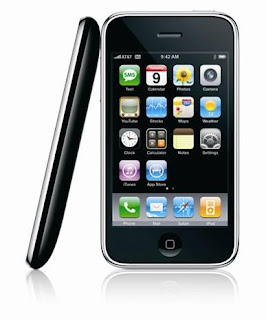 Now you are ready for the next step. Call customer service at AT&T (the exclusive iPhone service provider in the US) and tell the representative that you need to setup voice mail. Be sure to tell him or her to check to make sure the forwarding feature to forward calls to your voice mail is turned on. This is something that is often overlooked by customer service representatives. Once this is done, you are ready to actually setup voice mail.
Before you begin, it is a good idea to know what password you want to use. Might write down what you want to record as your outgoing message, too. Doing this will save time and make the process to setup voice mail go smoother.
Your password should be between 6 and 15 characters. Make sure it is something you can remember but others will find impossible to guess. Now you tap the voice mail icon on your iPhone. You will be asked to create a password at this point. Enter the password you have created and then you will be asked to record a greeting. You will have the option of using a default iPhone voice mail greeting that will include your phone number or you can record your own. You can change your greeting at any time by tapping voice mail, greeting, custom and then record. Do not forget to save your greeting once you are satisfied with it.
Students at Penn state who subscribe to Penn iPhone can log in to My iPhone and setup voice mail for their iPhones. PennKey authentication will be required. Once on the home page, look for Features and Voice Mail and go to that page. Here, you will put in the password you have created. You can change this password at any time by logging in on My iPhone or through the voice mail icon on your phone. After you have entered your password, re-enter it is the field, Confirm Password. After up press the submit button, your account will be updated to include it.
To record your greeting, press the 'messages' button, it will be to the right of the keypad. Press '0' to bring up the mailbox options. From there, you will be prompted to choose the type of greeting you want, such as busy, unavailable and name. Then you will get a prompt from the system to record your greeting. When you are finished, choose accept, listen and, if you desire, re-record. When you are satisfied with your greeting, press * or # to go back to the menu or exit.
Article Source: iPhoneTopic.Com
To inquire about iPhone applications, mobile application development services please visit www.iphonesoftwareprogramming.com or Call 888-284-0858
The first thing is not to put the SIM card from your old phone into your iPhone. Everything else will work but you voice mail and visual mail will likely not work. If you go to an AT&T store, you can get a new SIM put in your phone and help with getting everything from your old SIM card transferred to it.

Before you begin, it is a good idea to know what password you want to use. Might write down what you want to record as your outgoing message, too. Doing this will save time and make the process to setup voice mail go smoother.
Your password should be between 6 and 15 characters. Make sure it is something you can remember but others will find impossible to guess. Now you tap the voice mail icon on your iPhone. You will be asked to create a password at this point. Enter the password you have created and then you will be asked to record a greeting. You will have the option of using a default iPhone voice mail greeting that will include your phone number or you can record your own. You can change your greeting at any time by tapping voice mail, greeting, custom and then record. Do not forget to save your greeting once you are satisfied with it.
Students at Penn state who subscribe to Penn iPhone can log in to My iPhone and setup voice mail for their iPhones. PennKey authentication will be required. Once on the home page, look for Features and Voice Mail and go to that page. Here, you will put in the password you have created. You can change this password at any time by logging in on My iPhone or through the voice mail icon on your phone. After you have entered your password, re-enter it is the field, Confirm Password. After up press the submit button, your account will be updated to include it.
To record your greeting, press the 'messages' button, it will be to the right of the keypad. Press '0' to bring up the mailbox options. From there, you will be prompted to choose the type of greeting you want, such as busy, unavailable and name. Then you will get a prompt from the system to record your greeting. When you are finished, choose accept, listen and, if you desire, re-record. When you are satisfied with your greeting, press * or # to go back to the menu or exit.
Article Source: iPhoneTopic.Com
To inquire about iPhone applications, mobile application development services please visit www.iphonesoftwareprogramming.com or Call 888-284-0858
Subscribe to:
Posts (Atom)


